

Stop Typing, Start Scaling: Mastering the Form Processor in Power Apps
In 2026, manual data entry isn't just a chore, it’s a bottleneck. Every minute your team spends transcribing invoices, work orders, or identity documents is a minute lost to high-value strategy.
At armely, we are helping our partners leverage the Power Apps Form Processor to turn physical documents into actionable digital data in seconds.
What is the Form Processor?
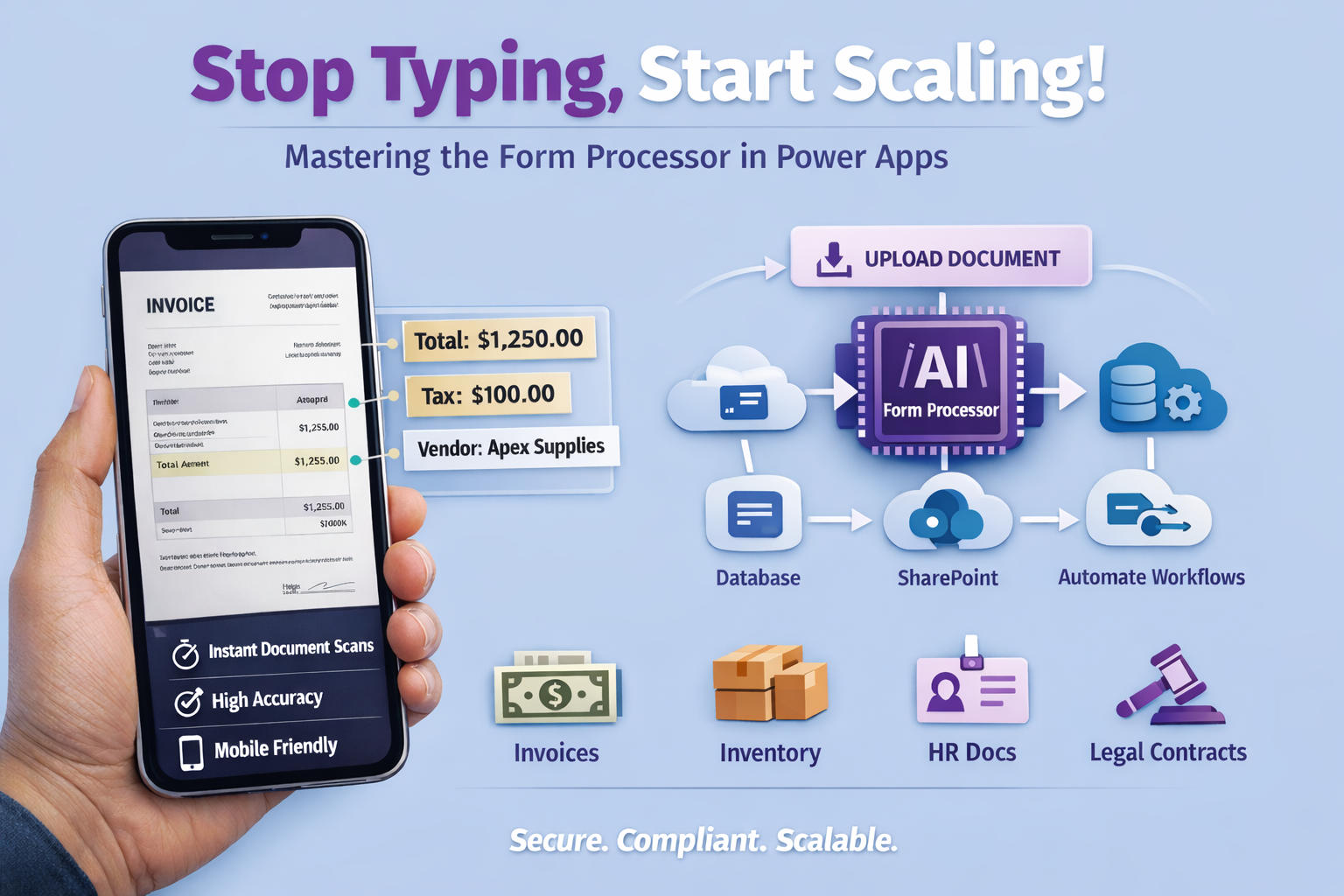
The Form Processor is a pre-built AI model powered by AI Builder. It uses machine learning to identify and extract text and key-value pairs from documents. Whether it's a PDF or a photo taken on a mobile device, the component "reads" the document just like a human would—but much faster.
Why It’s a Game-Changer for Your Workflow:
- Near-Instant Digitization: Turn a 10-minute data entry task into a 2-second scan.
- Higher Accuracy: Reduce human error caused by typos or fatigue.
- Mobile-First Design: Field technicians can scan parts lists or safety certificates directly from their phones, syncing data to the cloud instantly.
How it Works: 3 Steps to Automation
1. The Training Phase
You don't need to write code. You simply upload 5-10 samples of the document you want to process (e.g., a standard company invoice). You "tag" the areas you want the AI to remember, like the Total Amount, Tax, or Vendor Name.
2. Dropping the Component
Inside the Power Apps Studio, you insert the Form Processor component. It acts as a specialized button. When a user clicks it and uploads a file, the AI goes to work immediately.
3. Mapping the Data
Once the AI extracts the information, you can map those fields directly into your database (Microsoft Dataverse), send them to SharePoint, or even trigger an approval flow in Power Automate.
Real-World Use Cases
|
Department |
Use Case |
|
Finance |
Automatically processing incoming invoices and matching them to Purchase Orders. |
|
Logistics |
Scanning Bills of Lading at the warehouse dock to update inventory in real-time. |
|
HR |
Digitizing employee onboarding documents and ID verification. |
|
Legal |
Extracting key dates and parties from standardized contracts. |
Secure, Compliant, and Scalable
We know that data privacy is paramount. When you use the Form Processor within the Microsoft ecosystem, your data stays within your tenant. It is never used to train public AI models, and it inherits the enterprise-grade security of the Microsoft Cloud.